
Shark
Paid link to Amazon
Shark Matrix Plus 2-in-1 Robot Vacuum & Mop, Black/Silver, RV2610WA
No code for this deal
Updated Nov 28, 202623 products
Showing 23 of 23
Shark
Paid link to Amazon
No code for this deal
iRobot
Paid link to Amazon
2K bought recently
No code for this deal
ECOVACS
Paid link to Amazon
400 bought recently
No code for this deal
ECOVACS
Paid link to Amazon
100 bought recently
No code for this deal
Shark
Paid link to Amazon
300 bought recently
No code for this deal
iRobot
Paid link to Amazon
200 bought recently
No code for this deal
Bissell
Paid link to Amazon
No code for this deal
iRobot
Paid link to Amazon
200 bought recently
No code for this deal
iRobot
Paid link to Amazon
600 bought recently
No code for this deal
Shark
Paid link to Amazon
50 bought recently
No code for this deal
iRobot
Paid link to Amazon
700 bought recently
No code for this deal
ECOVACS
Paid link to Amazon
No code for this deal
ECOVACS
Paid link to Amazon
5K bought recently
No code for this deal
iRobot
Paid link to Amazon
No code for this deal
iRobot
Paid link to Amazon
1K bought recently
No code for this deal
ECOVACS
Paid link to Amazon
No code for this deal
ECOVACS
Paid link to Amazon
No code for this deal
ECOVACS
Paid link to Amazon
600 bought recently
No code for this deal
ECOVACS
Paid link to Amazon
500 bought recently
No code for this deal
ECOVACS
Paid link to Amazon
50 bought recently
No code for this deal
ECOVACS
Paid link to Amazon
50 bought recently
No code for this deal
Shark
Paid link to Amazon
1K bought recently
No code for this deal
This category covers robot vacuums, and many of them also mop. Shoppers will find a mix of vacuum-only machines, combination vacuum and mop units, and models that pair with a self-emptying dock that collects debris into a bag so you are not emptying a bin after every run. Some listings are part of larger ecosystems with smart home app control, voice assistant support, or built-in map features. When comparing options, look at how the unit handles the floors in your home, how it navigates, how much mopping capability it offers, and whether a self-emptying base fits your routine and your space. Read the included accessories and the details of the dock, since they shape how much hands-on upkeep the machine will need over time.
A robot vacuum only picks up dry debris, while a combination model adds a damp pad or roller that wipes hard floors. Mopping units usually carry a small water tank and may need you to refill it during or after a cleaning run. If your home has mostly carpet, a vacuum-only model may be all you need. If you have a lot of hard flooring, a combination unit can cover more of the job in one pass.
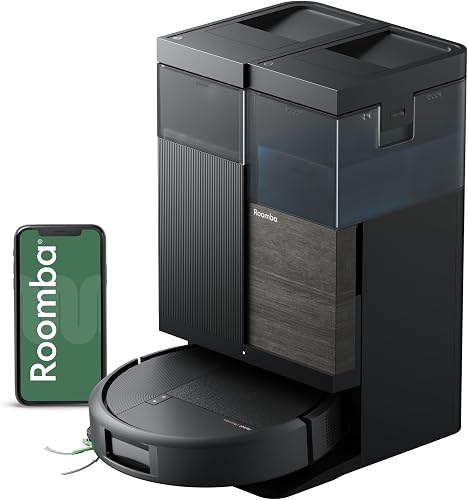
A self-emptying base is a docking station that sucks the debris out of the robot's dustbin and stores it in a sealed bag inside the base. This means you empty the base occasionally instead of the robot after every session. Bag capacity and how often you need to swap bags vary by model, so check the dock details. The base also takes up floor space and needs an outlet nearby, so measure the spot you plan to use.
Navigation systems differ by model. Some use gyroscopes and bump sensors to move in a pattern, while others use a spinning laser sensor such as LiDAR or time-of-flight sensors to scan the room and build a map. Mapping models can often clean in organized rows and let you set no-go zones or separate rooms through an app. Simpler navigation can work well in smaller, open spaces but may cover the floor less efficiently.
Not always. Many models include a remote control or a set of buttons on the unit so you can start and stop cleaning without a phone. App control adds scheduling, map editing, and cleaning modes, and some models support voice assistants. If you like to set a schedule once and forget it, an app with reliable scheduling is worth looking for. If you prefer a simple machine, a model with physical controls may suit you better.
Think about your floor types first. Look at whether the robot can handle thresholds and the height of rugs, since some models climb over them more easily than others. Mopping units may avoid carpet or lift their pads when they detect it, so confirm that behavior in the product details. Also check the brush design if you have long hair or pets, because some rollers are built to resist tangling and others need more frequent clearing.